

Save as you collect
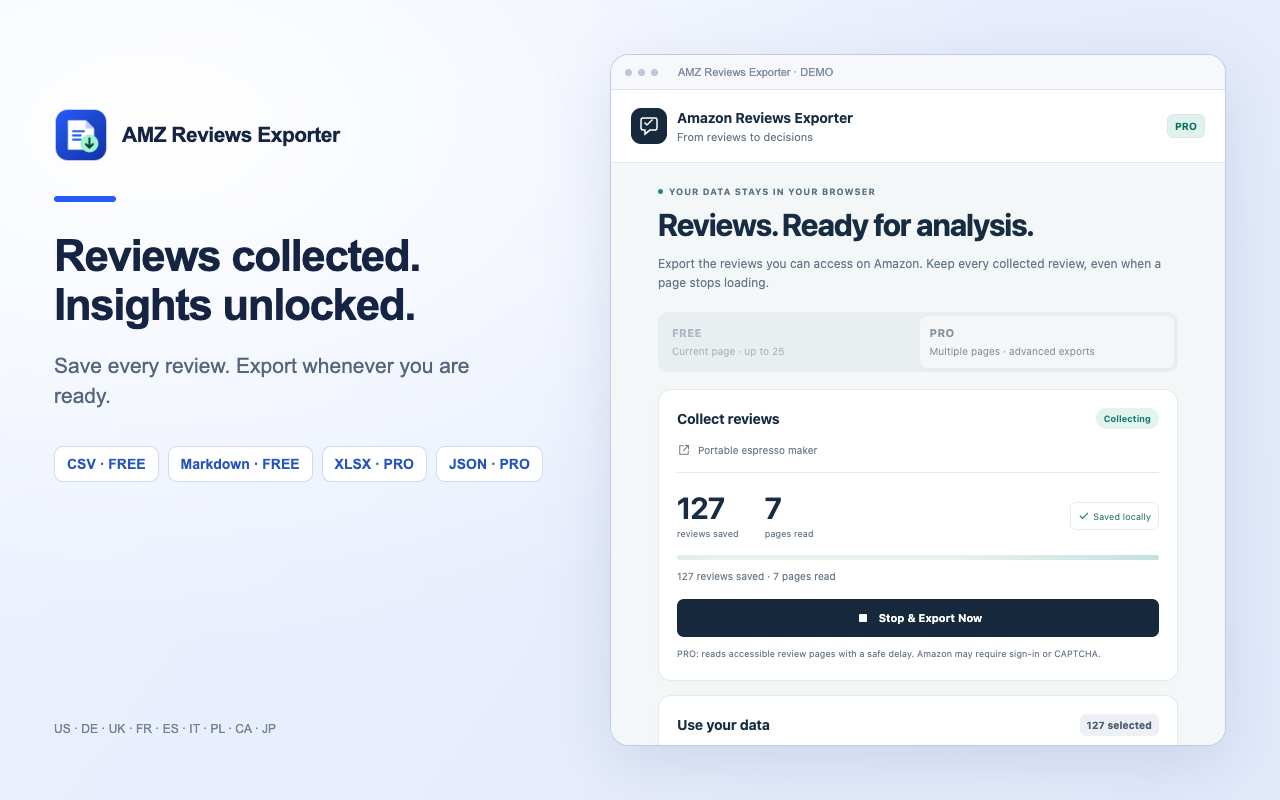
Reviews are saved on your device after each page. If a page fails or Amazon asks you to sign in, your collected results stay available.
A Chrome extension by NestifyCraft
Turn customer feedback into a CSV file or an AI-ready brief. Collect reviews, keep your progress, and decide when to export — right in your browser.
Version 1.0.2 · Desktop Chrome · FREE needs no account
Chrome Web Store publication pending
From feedback to a useful file
For sellers, product researchers, and anyone who wants to understand customer feedback without copying reviews one by one.
Reviews are saved on your device after each page. If a page fails or Amazon asks you to sign in, your collected results stay available.
Watch the saved-review count and page status. Stop & Export Now lets you download the data already collected during a running export.
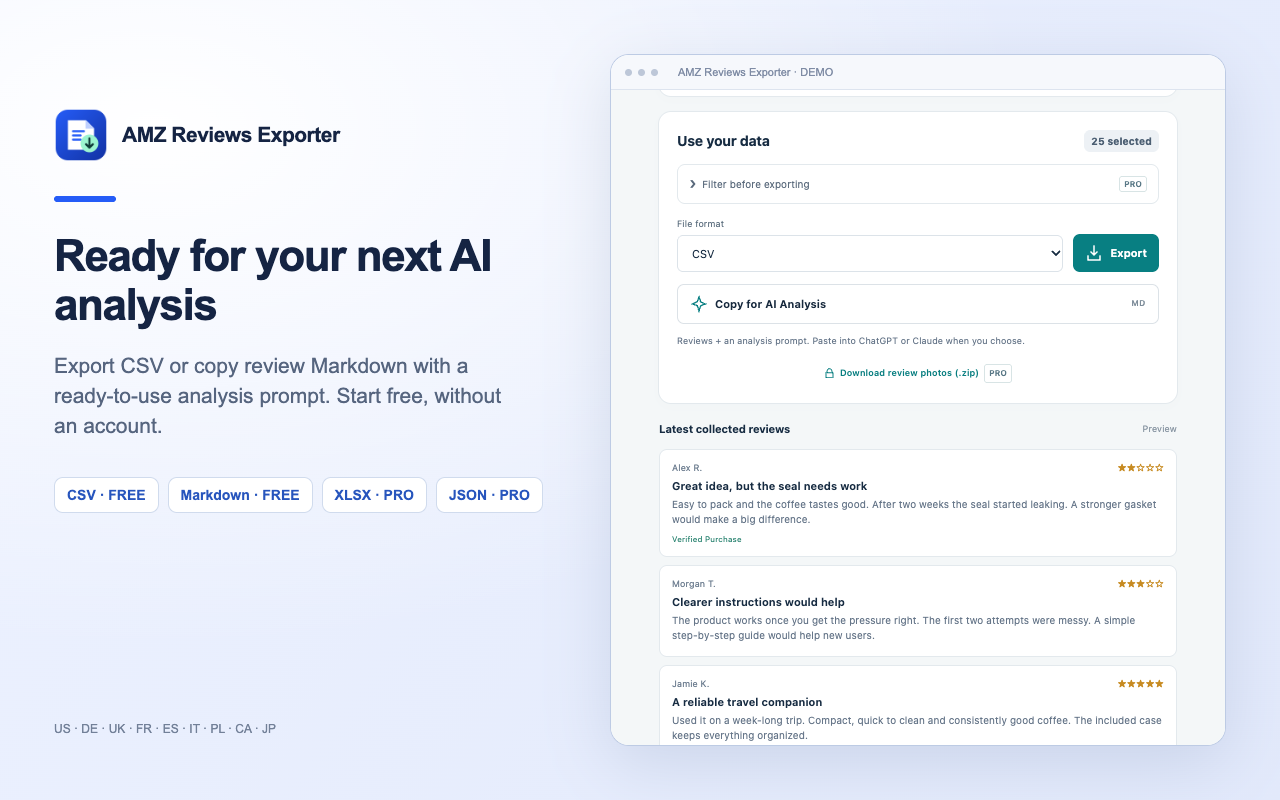
Copy reviews as Markdown with a ready-to-use analysis prompt. Paste into ChatGPT or Claude when you choose. No AI account is connected to the extension.
Useful details, in one place
Export the fields available on the Amazon page: review ID, author, rating, title, date, verified-purchase status, product variant, full available text, helpful votes, and photo links. The file also includes the ASIN and source links.
Illustrative sample · synthetic reviews
| Rating | Review title | Variant | Verified |
|---|---|---|---|
| 2 / 5 | Great idea, but the seal needs work | Blue · 350 ml | Yes |
| 4 / 5 | Clearer instructions would help | Black · 350 ml | Yes |
| 5 / 5 | A useful travel companion | Blue · 500 ml | No |
These are example records, not Amazon customer testimonials. Download real output files generated by the extension’s export code.
Start with a real export
FREE lets you start without an account. PRO features are built into the extension and require a valid product license.
$0
No registration
Chrome Web Store publication pending
$6.99
/ month · planned price
Planned lifetime option: $29 one-time
PRO sales are not open yet
The FREE release package is ready for Chrome Web Store publication. Paid licenses will be offered through Lemon Squeezy after store activation. Final pricing, billing terms, and refund information will be shown before purchase. No payments are accepted on this page.
Amazon access restrictions and local storage limits apply to both plans. PRO does not bypass sign-in, CAPTCHAs, or unavailable pages.
Get started in a few minutes
Public installation and updates will be provided through Chrome Web Store. The release package is ready; the store listing has not yet been published.
When the store listing is published, follow the store link on this page and select Add to Chrome. Confirm the installation and pin the extension to your toolbar.
Open a product or review page on one of the supported Amazon domains. Scroll to the customer reviews and allow their text to load.
With the Amazon tab active, click the extension’s toolbar icon and choose Collect this page. Allow access to the selected Amazon site if Chrome asks.
Choose Export for a CSV file, or Copy for AI Analysis for a Markdown brief. FREE collects up to 25 reviews currently loaded on the selected page.
Your browser does the work
Extraction, filtering, progress, and file generation run locally. NestifyCraft does not receive your review exports or run extension analytics.
Reviews stay in Chrome’s local extension storage until you reset or replace the export, clear storage, or uninstall.
AI copy prepares text locally. Only pasting it into an external AI service shares it with that service.
Amazon receives requests for pages and chosen images. PRO license activation and validation contact Lemon Squeezy; review content is never sent there.
This product page has no analytics, advertising trackers, or sign-up forms. The website host receives ordinary page requests; the shared NestifyCraft site loads the Material Icons font from Google.
Supported domains
English, German, Spanish, French, Polish, Brazilian Portuguese, Italian, Dutch, Japanese, Korean, Simplified Chinese, Turkish, Czech, Swedish, and Ukrainian.
Self-service help
Download any saved results first. Stop & Export Now is available during collection. If Amazon requires sign-in or blocks a request, open the review page yourself, complete the normal Amazon flow, and retry. Reset / Troubleshoot clears collected data and stuck export state while keeping your license.
Keep the Amazon tab active and click the extension icon in Chrome’s toolbar again. Refresh the tab after installing or updating the extension. If Chrome asks for site access, allow the selected Amazon domain. Scroll to the reviews and make sure review text is loaded before collecting.
It can only collect reviews that Amazon makes accessible in your browser. Product pages often show only a small selection. Additional review pages may require an Amazon account, and Amazon can limit pagination. PRO respects these restrictions and uses delays between requests.
No. It copies review data and an analysis prompt to your clipboard. You choose whether to paste it into an AI service. That service’s own access, pricing, and privacy terms then apply.
A Lemon Squeezy license key will unlock PRO after activation inside the extension. License validation happens directly with Lemon Squeezy’s public License API. A purchase link will be added after the store is activated; FREE does not require a key.
Amazon Reviews Exporter is published by NestifyCraft, which also creates digital educational resources. This independent tool is not affiliated with or endorsed by Amazon, Google, OpenAI, or Anthropic. Those names and trademarks belong to their owners.
NestifyCraft · Browser tools
See the output before you install. Preview CSV, Excel, and an AI analysis brief made by the extension.
Preview an export ↓